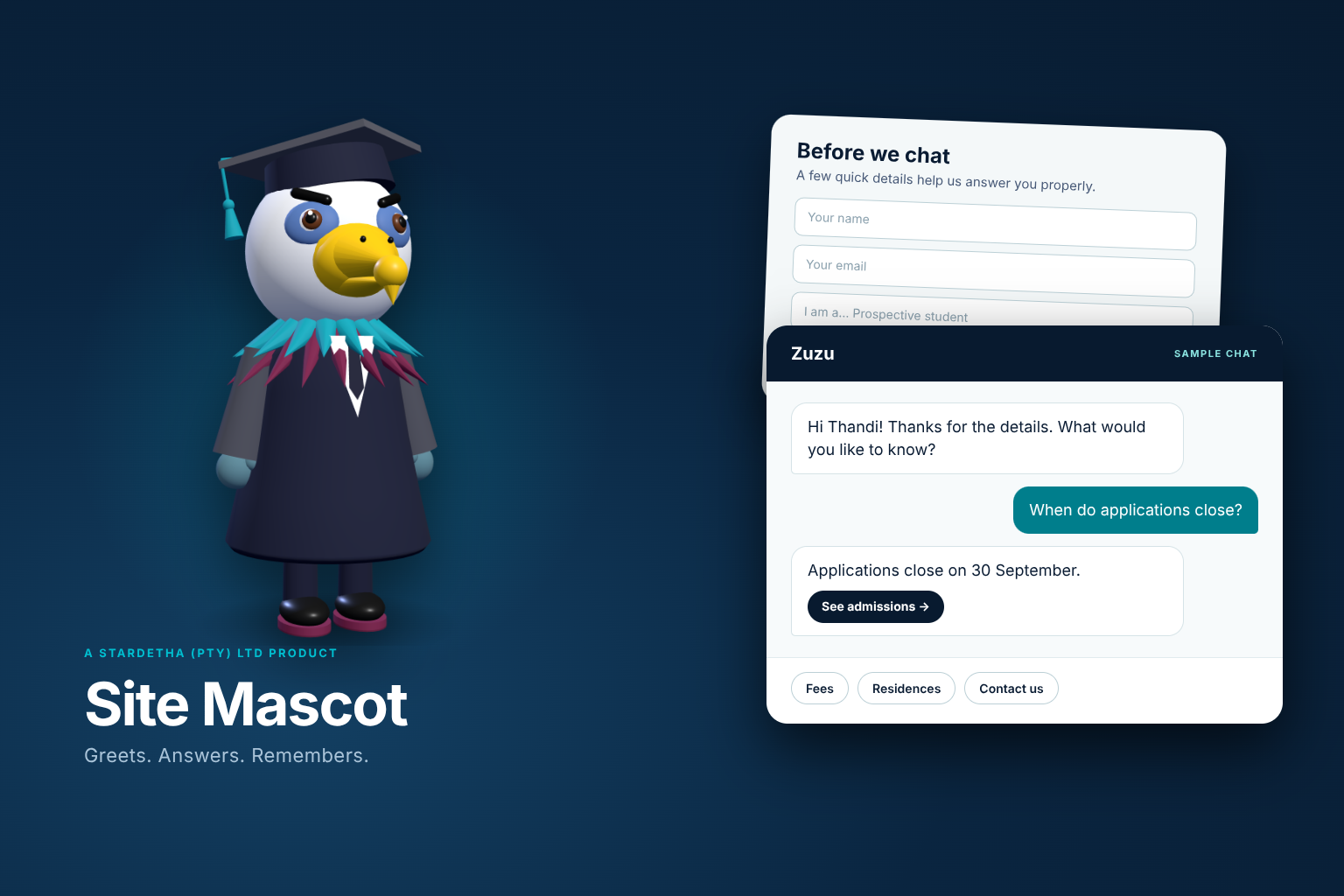
Site Mascot is a WordPress plugin developed by Stardetha. It adds an animated 3D character that learns your website, answers visitors from your own questions and pages, and can ask for a few details before the chat begins.
Any character: eagle, owl, lion, robot, person or your own picture
Your Q&A first, your pages second, AI only if you switch it on
English and isiZulu wording
Sample artwork. The interactive demo below uses the real mascot engine.
TRY IT NOW
Meet a mascot, then ask it something.
Change the character, give it a pose, then open the sample chat. Turn on Ask for visitor details first to see the form your visitors would fill in. This is a demonstration with prepared answers. Nothing you type here is sent or stored.
Hi! I'm your site mascot.
Your browser can't show the 3D character, so the sample chat is shown on its own.
Character
Pose
ZuzuSAMPLE CHAT
WHAT YOU GET
A friendly front desk for your website.
Everything is managed from a Site Mascot menu in WordPress. There is nothing to host elsewhere.
01
Mascot Studio
Pick an eagle, owl, penguin, lion, bear, cat, dog, rabbit, student, robot or round costume mascot, or upload a picture and let the Studio cut it out and read its colours. Save several, switch between them, and export one to use on another site.
02
A chat that knows your site
The plugin reads your pages, posts, menu and contact details, then greets visitors by your site's name, points at the main button and suggests related pages.
03
Your own Q&A
Write the answers you want visitors to get, word for word, with an optional link button. Import and export CSV, and see the questions it could not answer so you can fill the gaps.
04
Visitor details
Switch on a short form before the chat: name, email, student type, province, terms and anything else you add. It is off until you want it.
05
Conversations and analytics
Read every conversation, filter by date or visitor, export CSV, and see most-asked questions, answered rates, helpful ratings and unanswered questions.
06
Optional AI answers
Add your own Anthropic key if you want short, natural replies written from your pages and Q&A. Leave it out and the mascot works entirely from your content.
VISITOR DETAILS
Ask first. Then help.
Built for institutions that need to know who they are talking to, such as a graduation assistant that asks whether a visitor is a student or a guest before answering.
Your own fields: short answer, email, phone, number, long answer, drop-down, choice buttons, tick box and message blocks
Split a long form into steps with Next and Back
Show a question only when an earlier answer matches, such as a province for South African visitors
Write what the mascot says for each choice, and a closing message that uses the visitor's name
The chat server refuses questions that do not carry the signed pass the form hands out, so the form cannot be skipped
HOW IT WORKS
From install to first conversation.
Most of the work is deciding what you want the mascot to say.
01
Install and activate
Upload the plugin in WordPress and activate it. The mascot scans your site and starts greeting visitors.
02
Choose a character
Open the Mascot Studio, pick a character or upload a picture, and give it a name.
03
Teach it
Add your questions and answers, and decide whether visitors give their details first.
04
Learn from visitors
Review conversations and unanswered questions, then improve your answers.
LICENCE THROUGH STARDETHA ONE
Get Site Mascot for your organisation.
Licences, billing and downloads are handled in Stardetha One, the same place you manage Instant Language Switcher. Sign in or create an account to see the Site Mascot licence options for your organisation.
Create an account in Stardetha One, verify your email, then choose your Site Mascot licence from your organisation's billing page. Your licence and download are available after confirmed payment.
Before you buy
Do I need an AI key?
No. Site Mascot answers from your own Q&A and your pages without one. If you want AI-written replies, add your own Anthropic API key in the plugin settings. Anthropic charges for its usage separately. Claude and Anthropic are trademarks of Anthropic, PBC; Stardetha is independent of Anthropic.
Is it only for graduations?
No. It began as a graduate-eagle assistant for a university, and that remains a ready-made look, but the character, wording and form are yours to change for any website.
Can visitors skip the details form?
Not when you turn it on. The chat server only accepts questions that carry the signed pass given to visitors who completed the form.
What if a visitor's browser cannot show 3D?
The mascot falls back to a still picture and the chat works the same way.
Does it support isiZulu?
The mascot's greetings, chat labels and each form field can have an isiZulu version. Please have a first-language speaker check the interface strings before launch.
Site Mascot is a product of Stardetha (Pty) Ltd. The WordPress plugin is licensed under GPL-2.0-or-later. A valid Stardetha licence provides the purchased activation allowance, licensed updates and support. Sample artwork and the demonstration above are illustrations, not customer results.
LET’S BUILD WHAT’S NEXT
Have a project in mind?
Talk to our team about your website, integration or custom development needs.